Home Security Without Monthly Fees: What Indoor Cameras Actually Deliver
You buy a security camera, get it running, and feel good about your setup — then three months later the app tells you AI detection is now a premium feature locked behind a $9.99/month plan. It is one of the oldest bait-and-switch moves in consumer electronics, and it is shockingly common in home security. Before spending anything, here is exactly what you need to know.
The True Cost of “Affordable” Security Cameras

Most buyers compare cameras at checkout. The smarter comparison is the two-year total — hardware plus every subscription dollar that follows. When you run that math, the apparent budget picks often end up more expensive than cameras that look pricier upfront. The table below uses current 2026 pricing.
| Camera | Upfront Cost | Annual Subscription | 2-Year Total | Full AI Without Sub? |
|---|---|---|---|---|
| Wyze Cam v4 | $35.99 | $23.88 (Cam Plus) | $83.75 per camera | No — person/pet detection locked |
| Blink Indoor (3rd Gen) | $34.99 | $30.00/camera cloud plan | $94.99 per camera | Partial — local only with Sync Module 2 |
| Arlo Essential Indoor | $99.99 | $79.99 (Arlo Secure) | $259.97 per camera | No — activity zones require paid plan |
| Eufy IndoorCam 2K | $39.99 | $0 | $39.99 per camera | Yes — on-device AI, local storage |
| TP-Link Tapo C210 | $35.99 | $0 basic / $2.99/mo cloud | $35.99–$107.75 | Partial — motion alerts free, AI detection paid |
| 5G Indoor Camera 3-Pack (reviewed) | $90.99 | $0 | $90.99 for 3 cameras | Yes — facial recognition and AI tracking included |
The Arlo math stings hardest. One camera ends up costing $259.97 over two years. The no-subscription 5G 3-pack covers three rooms entirely for $90.99 — less than two years of Arlo on a single unit.
Why the Wyze Cam Model Works Against You Long-Term
Wyze hardware is genuinely solid. Good build quality, 2K resolution, a clean interface. But the business model is subscription-dependent by design. Person detection, pet recognition, and package alerts all sit behind Wyze Cam Plus at $1.99 per camera per month. Run three cameras for two years and you have spent $143.28 on subscriptions alone — nearly four times the cost of the cameras themselves. The hardware is the loss leader. Your recurring payment is the actual product. If you want AI features owned outright with no ongoing bill, Wyze is the wrong choice regardless of the $35.99 sticker price.
Local Storage vs Cloud: Real Costs and Real Risks
Cloud storage keeps footage on external servers — accessible anywhere, but tied to an active subscription. Local storage via microSD card keeps footage on the camera. Blink Indoor cameras require the separate Sync Module 2 ($34.99) before local storage functions at all; that is a hidden cost most buyers miss. The TP-Link Tapo C210 ($35.99, 3MP) handles local microSD up to 256GB with no subscription, which makes it a legitimate smart choice for single-room coverage on a tight budget. The honest tradeoff: if someone steals the camera, the footage goes with it. Cloud storage eliminates that specific failure mode. For most home setups, local storage with a high-capacity card hits the right balance of cost, privacy, and reliability.
What Camera Specs Actually Matter for Home Monitoring
Resolution gets all the marketing attention. It matters — but it is not the most important factor. Here is what actually separates cameras that perform from cameras that look good in a spec sheet.
Resolution: Where the Practical Line Is
Standard 1080p (2MP) is enough to confirm that motion occurred. It is not enough to read a face, identify a specific individual, or produce evidence useful in a police report. At 1080p, a person standing 10 feet from the camera renders a face approximately 60 pixels wide — blurry and recognizable only if you already know who you are looking at.
2K (4MP) is the practical floor for identification. You get roughly 120 pixels across a face at the same distance. 3K resolution (approximately 5MP) pushes that to 150 pixels or more, which means you can zoom digitally into a saved frame and still read facial features clearly. For a nursery camera where you are checking expressions, or a doorway camera where you need to verify who entered, 3K produces a genuinely visible improvement over 2K. The storage cost: a 3K camera recording motion-triggered clips to a 64GB microSD card fills it in approximately five to seven days of moderate activity. A 128GB card extends that to ten to fourteen days comfortably.
0-Glow Night Vision: The Bedroom Test
Standard infrared night vision cameras emit a faint red glow from their IR LEDs. It is subtle, but visible in a darkened room — distracting in a nursery and potentially enough to disrupt a light sleeper. Many parents discover this only after mounting the camera and watching the baby react to the glow at 2 a.m.
0-glow night vision uses black IR LEDs that emit infrared light without any visible red indicator. The camera is functionally invisible in the dark while still recording clear monochrome footage. For any camera placed in a bedroom, nursery, or sleeping area, this is not optional. It is the difference between a camera that belongs in the room and one that does not. Most cameras priced under $40 use standard red-glow IR. Cameras with true 0-glow technology typically start around $70 to $80 per unit.
PTZ Range and the Difference AI Tracking Makes
A fixed camera covers one static angle. If your dog moves across the room or your child crawls to the far corner, a fixed camera loses them. PTZ cameras — pan, tilt, zoom — rotate physically to follow movement. Standard PTZ specs are 355° horizontal pan and 90° vertical tilt, which eliminates blind spots in most standard rooms.
Basic PTZ tracks any pixel change: a shadow, curtains moving, a fan oscillating. AI-assisted PTZ tracks specific subjects — a person, a pet, a vehicle — and ignores irrelevant motion. It reduces false alerts dramatically. Facial recognition is the top tier: the camera matches a detected face against stored profiles and notifies you when an unrecognized person enters frame, rather than alerting every time your cat crosses the living room. This technology was limited to enterprise security systems as recently as 2026. It is now available in consumer camera packs under $100.
5G Indoor Cameras That Skip the Subscription Entirely
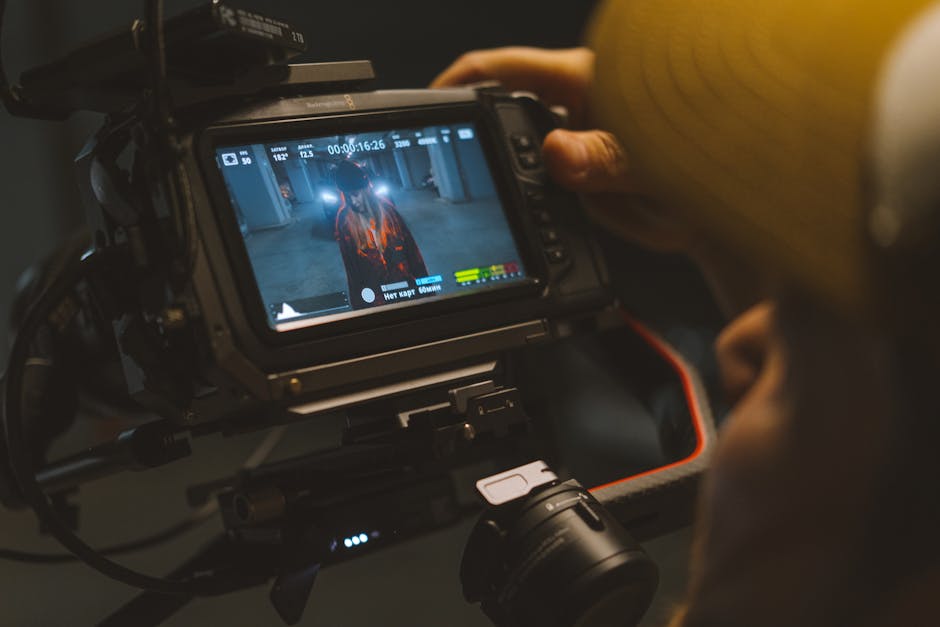
For a three-zone home setup — living room, nursery, secondary entry — buying a unified 5G three-camera pack beats buying three separate cameras from different brands at every level: cost, management, and consistency.
Running three cameras across three different apps, with three separate notification systems and three storage configurations, is more operational friction than it sounds. You will eventually miss an alert because you forgot which app covers which room. A unified system in one app with consistent behavior is a meaningfully better experience, especially when you are checking on a sleeping baby or monitoring a pet mid-day from work.
The 5G Indoor Security Camera 3-Pack at $90.99 delivers 3K resolution, 0-glow night vision, 355° PTZ auto-tracking, two-way audio, and facial recognition across all three cameras — zero subscription, one app. With 480 reviews at a 4.4/5 rating, this is a well-tested product, not a new-to-market gamble. The 5GHz WiFi support is a meaningful differentiator: in apartments or dense neighborhoods where 2.4GHz bands are congested with neighboring routers, 5GHz delivers faster live-view loading and lower latency when checking in remotely.
5GHz vs 2.4GHz: Which Band Actually Matters Here
2.4GHz WiFi travels farther through walls but operates on a crowded spectrum — your neighbors’ routers, Bluetooth devices, and microwaves all compete for the same band. 5GHz has shorter range but far higher throughput and dramatically less interference. For indoor cameras mounted within 30 to 40 feet of a router, 5GHz outperforms 2.4GHz in almost every practical way: faster stream initialization, less buffering during peak evening hours, more reliable push notifications. If you need to reach a detached garage or a basement far from the router, a mesh network extender or 2.4GHz fallback is the practical solution. These cameras support both bands, so placement is flexible.
When the 2-Pack Is the Right Size
If your monitoring needs cover only two areas — a main living space and a nursery, or a home office and a rear entry — the 2-Pack at $50.49 delivers the same 3K resolution, 0-glow night vision, and AI tracking at a lower entry price. Per-camera cost: $25.25 in the 2-pack versus $30.33 in the 3-pack. The 3-pack is the better per-unit value, but buying a third camera you have no planned location for just to optimize the math is a waste. Match the pack to your actual rooms.
The One Setup Decision That Breaks Facial Recognition
Mount angle determines whether your camera system works. Too high and the lens shoots straight down at the crown of people’s heads — no face visible, no recognition possible. Too low and adults step out of frame. Facial recognition requires a clean, front-facing view of the face at a natural angle. Mount cameras at 7 to 9 feet from the floor, angled slightly downward. That height captures a full face without the overhead distortion that renders everyone unidentifiable regardless of how good the hardware is.
When a Camera System Will Not Actually Solve Your Problem
Cameras document. They do not prevent. Being honest about the underlying problem changes what you should buy — and sometimes means not buying a camera at all.
- Porch package theft: A camera captures the theft and helps police identify the person — after the package is already gone. An Amazon Smart Package Locker ($99) or a heavy-gauge steel security box prevents the theft from occurring. A camera is useful as a supplement but should not be the primary solution if prevention is the actual goal.
- Pet behavior monitoring: This is one of the strongest use cases for indoor cameras. Footage from while you are away shows exactly what triggers destructive behavior — the mail slot noise, a specific time window, an animal visible through a window. Two-way audio lets you intervene verbally in real time. For pet owners, this is practical monitoring with immediate behavioral value.
- Baby monitoring: Indoor PTZ cameras with 0-glow night vision and two-way audio function as capable, high-resolution baby monitors. Verify the app allows low-latency live viewing before buying — some camera apps introduce five to ten second delays that make real-time monitoring impractical.
- Elder care remote check-ins: Cameras in common areas let family members confirm a parent is up and moving without making a disruptive phone call. This only works well when the person being monitored understands and has agreed to the setup. Consent is not optional, and this is a relationship decision before it is a technology one.
- General deterrence: Visible cameras deter opportunistic intruders with some effectiveness. A motivated person who scouts the location will simply avoid the camera’s field of view. If deterrence is the priority, combine cameras with door and window sensors from a system like SimpliSafe ($200 starter kit) or Ring Alarm ($199) for layered coverage a camera alone cannot provide.
When the Eufy IndoorCam or TP-Link Tapo Is the Better Buy
The Eufy IndoorCam 2K ($39.99) is the best single-camera purchase for someone covering exactly one room. On-device AI handles person detection without a subscription, local storage keeps footage private, and the app is clean. It does not do PTZ or facial recognition, but at $39.99 that is expected and fair. The TP-Link Tapo C210 ($35.99) sits one step below — 3MP, basic motion detection, microSD local storage — and works reliably for basic monitoring at the lowest possible cost. Go with the 5G three-camera system when you need full-room PTZ coverage, facial recognition, and unified app management across multiple zones without any ongoing cost.
Network Throughput: Check Before You Mount Anything
A single 3K camera streaming live video over 5GHz pulls roughly 5 to 8 Mbps. Three cameras running simultaneously draw 15 to 24 Mbps — before anyone in the household streams video, joins a video call, or plays an online game. If your home internet plan is under 100 Mbps download or your router is more than four years old, test your actual network performance with Fast.com before assuming it handles the load. A congested or underpowered router is the most common reason indoor camera systems underperform, and it has nothing to do with the cameras themselves.
The cameras that look expensive upfront almost always cost the least over time — buying the feature set once and owning it outright is a better deal than subscribing to it indefinitely.
Disclaimer: The information on this page is for educational purposes only and does not constitute financial advice. Rates, terms, and eligibility requirements are subject to change. Always compare multiple lenders and consult a licensed financial advisor before borrowing.