The $26 Insurance Policy Most iPhone Air Owners Skip — and Regret
Over 50 million Americans crack their phone screens every year. That is one screen every 0.6 seconds. The average out-of-warranty repair for an iPhone Air at the Apple Store runs between $229 and $329. A quality two-pack of tempered glass screen protectors costs $13 to $26.
The math is not difficult.
This is not financial advice. But protecting a $1,199 device with a $26 piece of glass is one of the lowest-effort, highest-return decisions in consumer electronics. The only reason most people skip it is that the upside is invisible — you never notice the screen your protector quietly saved.
Screen Protection Is a Personal Finance Decision, Not a Tech Preference
Forget the spec sheets for a moment. Think about this purely in terms of money.
Apple charges $229 to replace the front glass on an iPhone Air without warranty coverage. Authorized third-party shops like uBreakiFix run $80–$150 for the same job using non-OEM parts — which can create Face ID reliability problems if the repair is not executed precisely. AppleCare+ costs $9.99 per month and covers accidental damage with a $29 service fee per incident. Over two years, that is $269.76 in premiums before you pay a single deductible.
A good two-pack of 9H tempered glass runs $13–$26 upfront. Zero recurring cost.
Total Cost of Protection: The Real Numbers
| Protection Approach | Upfront Cost | Annual Cost | Cost Per Cracked Screen Incident |
|---|---|---|---|
| No protection | $0 | $0 | $229–$329 (Apple OEM repair) |
| AppleCare+ monthly plan | $0 | $119.88 | $29 service fee per incident |
| Budget screen protector (amFilm 3-pack) | $13.99 | $0 | $229–$329 plus a replacement protector |
| Military-grade privacy glass (WSKEN 2-pack) | $25.99 | $0 | Glass absorbs most common impact scenarios |
AppleCare+ makes genuine financial sense in two scenarios: you have a documented history of heavy drops, or you work in conditions where phone damage is frequent (job sites, active travel, young kids in the house). For everyone else, a one-time $26 spend handles the most common damage risk at a fraction of the ongoing premium cost.
Screen Privacy Is Also Financial Security
Here is the angle most reviews never touch: what strangers can see on your screen in public is a financial exposure, not just a privacy preference.
Bank of America, Chase, Venmo, Robinhood, Fidelity — every financial app you open in a coffee shop, on a subway, or in an airport is visible to anyone within 3–4 feet at the right angle. Shoulder-surfing is a real credential theft method. It requires no technical skill. It works on anyone who does not protect their screen angle.
A 4-direction privacy filter cuts the usable viewing cone to roughly 30 degrees from center. The person in the next seat cannot read your account balance or watch you enter a PIN. For regular public transit riders or open-plan office workers, that is a material security upgrade — not a luxury feature. The WSKEN iPhone Air privacy screen protector applies 4-way 360-degree filtering without the severe brightness loss typical in cheaper alternatives, making it practical for all-day use rather than just specific threat scenarios.
How 4-Way Privacy Filter Technology Actually Works
Most privacy screens on the market block two directions: left and right. Someone directly beside you cannot see your screen. But someone positioned slightly above, below, or at a diagonal angle still can. That covers the most common scenario — row neighbors on a plane or train — but it leaves real gaps in open offices and crowded standing environments.
4-way filters add vertical blocking. Above and below get cut off, not just the horizontal sides. The mechanism is a micro-louver optical film embedded inside the tempered glass. Think of microscopic venetian blinds built into the material itself. Light from your screen travels straight forward to your eyes. Light hitting the louver walls at any off-axis angle gets absorbed rather than transmitted. The physics are straightforward; the manufacturing tolerance required to do it well is not.
The Brightness Tradeoff You Need to Know Before Buying
All privacy filters reduce screen brightness. Every single one. The louver structure that blocks side views also intercepts a fraction of the forward-facing light you want. Typical loss runs 20–40% depending on filter quality and density. Most users compensate by bumping brightness up one or two notches — iOS Auto-Brightness handles this automatically once it recalibrates to the new baseline.
Cheaper privacy films under $10 often add a visible blue or gray tint on top of the brightness drop. Higher-quality tempered glass options use anti-reflective coatings that minimize color shift while keeping the filter effective. That gap — color accuracy and perceptual brightness under varied lighting — is the primary performance difference between a $9 film and a $26 glass protector. The spec sheets will not tell you this. Side-by-side use will.
What 9H Hardness and Military Ratings Actually Mean
Screen protectors rated at 9H reference the Mohs mineral hardness scale. Diamond sits at 10H. Steel is 6–7H. A 9H tempered glass surface will not scratch from keys, coins, or anything else in a standard pocket or bag. It will crack under point-impact stress — a sharp corner drop from height onto tile concentrates force into a very small contact area that hardness ratings do not fully capture.
The “10X military shatterproof” language references MIL-STD-810G testing standards for impact and vibration resistance. In practice, this means the glass is engineered to absorb and distribute impact energy across the surface rather than fracturing on first contact. The glass may still crack on a severe drop. But when it does, the fragments stay contained — protecting the actual phone display underneath from direct contact with the ground.
Auto Dust-Removal: Underrated for a Reason
Bubbles are why people hate screen protector installation. Dust particles trapped under the glass during application create adhesion gaps that appear as bubbles within 24–48 hours. The electrostatic applicator frame in auto dust-removal systems lifts particles away from the screen surface before the glass makes contact. In a normal home environment, this step reduces bubble failure rate sharply. It is the single most useful installation feature — and the clearest quality differentiator between entry-level and mid-tier protectors.
Four Mistakes That Waste Your Money on Screen Protectors
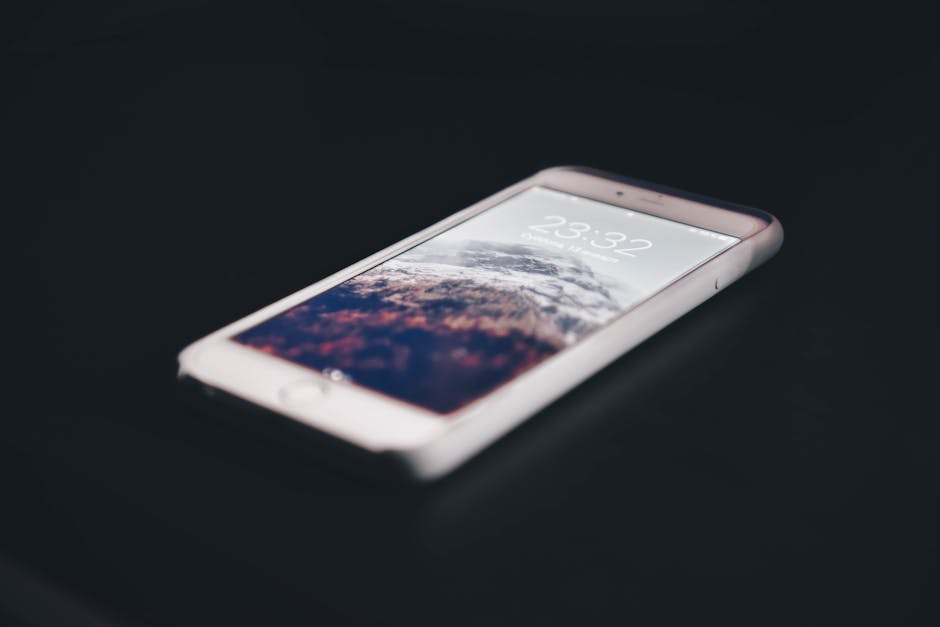
- Buying the absolute cheapest option available. A six-pack for $7 feels efficient until the adhesive starts peeling at the edges after ten days and you are picking micro-cracks out of your pocket. The real quality floor sits at $12–$26 for a two-pack. Below that, adhesive consistency and glass uniformity drop significantly, and the “savings” get reversed when you replace the protector twice in a month.
- Skipping the cleaning protocol. The alcohol wipe and microfiber cloth in the box are not optional accessories. Skin oils and invisible dust particles create adhesion failures that show up as bubbles hours after installation. Clean thoroughly with the alcohol wipe, let the screen dry completely, then apply. That five-minute step prevents 90% of the bubble complaints people write negative reviews about.
- Choosing a privacy screen for outdoor-primary use. If your phone time is mostly outside — job sites, running, beach use, direct sunlight — a privacy screen is the wrong product. The 20–40% brightness reduction makes screens noticeably harder to read in full sun. A standard clear tempered glass without a privacy filter is the correct call for outdoor-heavy users. Privacy screens belong in offices, transit, and indoor public environments where shoulder-surfing is the actual threat.
- Not checking case compatibility before buying. Screen protectors on edge-to-edge displays can lift at the corners when combined with cases that have raised inner lip edges. That edge pressure creates micro-gaps where corner cracking starts — not in the center where you would expect impact damage. Check that your specific case model is compatible before applying. Most quality manufacturers list this on the product page.
One practical installation note: if you are setting up a new device with both a case and a screen protector, install the case first. Apply the screen protector second. This lets you check for edge interference while the glass adhesive is still in the repositionable window, before it fully sets.
Why a $449 iPad Repair Bill Makes a $25 Case Non-Negotiable
Apple charges $449 for out-of-warranty front glass replacement on the iPad Air 13-inch. Let that number sit.
The M4 iPad Air 13-inch (2026) is Apple’s thinnest large-format tablet. Thin means lightweight, which means it gets handled casually. Propped on a couch arm. Balanced on a kitchen counter. Passed across a table. Thin devices fall from unstable positions more often than thicker ones — not a design flaw, just physics. The scenarios where tablets get used most are exactly the scenarios where they get dropped.
The WSKEN iPad Air 13-inch case at $24.89 — compatible with M2, M3, and M4 models across 2026, 2026, and 2026 — addresses the primary failure mode directly: a multi-angle adjustable kickstand that keeps the tablet stably positioned on any surface. A stable tablet does not fall. The integrated Apple Pencil holder addresses the secondary failure mode: a $89–$129 Pencil left resting on a flat surface eventually rolls off. Both losses are preventable. One case handles both.
At 5.0/5 from 66 reviews, this case carries an unusually clean early signal. For a new device generation, 66 reviews averaging 5.0 is a stronger indicator than 2,000 reviews averaging 4.2 — early adopters who write detailed reviews tend to be the most deliberate buyers in the category.
The financial case is blunt: $24.89 versus $449. The case pays for itself the first time the iPad slides off an armrest.
Privacy Screen Protectors Head to Head: What the Market Actually Offers
My clear pick for iPhone Air users who want privacy protection: the WSKEN 2-pack at $25.99 beats every competitor in this price range on the one spec that actually matters — 4-way 360-degree filtering. Everything else at this price tops out at 2-way. Here is the full comparison:
| Product | Price | Privacy Direction | Glass Hardness | Dust Removal | Pieces Included |
|---|---|---|---|---|---|
| WSKEN iPhone Air Privacy Glass | $25.99 | 4-Way 360° | 9H (10X MIL-rated) | Yes (auto) | 2 |
| ESR Privacy Tempered Glass | $18.99 | 2-Way | 9H | No | 2 |
| amFilm Privacy Glass (iPhone) | $13.99 | 2-Way | 9H | No | 3 |
| Belkin ScreenForce Privacy | $49.99 | 2-Way | 9H | Yes (frame) | 1 |
| Spigen Glas.tR EZ Fit Privacy | $22.99 | 2-Way | 9H | Yes (frame) | 2 |
The Belkin ScreenForce at $49.99 for a single piece is Apple Store shelf pricing. You are paying for brand recognition and the in-store installation frame service. The glass itself is a 2-way filter, single-piece, standard 9H — there is no performance premium to justify the cost premium over a 2-pack that exceeds it on privacy coverage at roughly half the per-unit price.
amFilm at $13.99 for three pieces is correct for one specific buyer: someone who only needs scratch and basic impact protection, never opens financial apps in public, and wants maximum pieces per dollar. It is not a privacy solution. It is a budget impact buffer, and it does that job adequately.
The Spigen Glas.tR EZ Fit Privacy at $22.99 is the closest direct competitor — similar installation frame system, similar glass quality, 2-pack at a slightly lower price. The meaningful gap is the privacy angle. Spigen stops at 2-way. The WSKEN 4-way filter adds full vertical blocking for $3 more per 2-pack. In open-plan offices or crowded standing transit, the extra angular coverage is not a theoretical upgrade — it closes the viewing gaps that 2-way filters leave open from above and below.
Bottom Line:
- Best for full privacy + impact protection on iPhone Air: WSKEN 2-pack ($25.99) — only 4-way option at this price, auto dust-removal, military-rated glass
- Best for budget scratch protection only: amFilm 3-pack ($13.99) — no privacy filtering, but maximum pieces per dollar
- Best for iPad Air 13-inch protection: WSKEN case ($24.89) — kickstand, Pencil holder, shockproof corners, versus $449 repair cost
- Skip: Belkin ScreenForce Privacy at $49.99 — brand premium with no performance advantage over the mid-tier options
This is not financial advice. Product prices and ratings reflect data available at time of publication.
Disclaimer: The information on this page is for educational purposes only and does not constitute financial advice. Rates, terms, and eligibility requirements are subject to change. Always compare multiple lenders and consult a licensed financial advisor before borrowing.