A robot vacuum becomes useful when its cleaning route fits the way you live. Loose cables, awkward rugs and a base tucked behind furniture can make a promising appliance surprisingly demanding. For anyone considering the Tapo RV30 Max Plus, preparing the rooms deserves as much attention as comparing features. This guide takes the model’s mapping, automatic emptying and scheduling functions as a starting point for building a practical floor-cleaning routine.
Start with the rooms, not the settings

Walk through the spaces you want the robot to clean. Notice where crumbs, dust and hair gather, then look at the route between those areas. Chair legs, narrow gaps and changes in floor covering all affect how easily a machine can move around. A kitchen may need frequent attention, while a spare bedroom may need only an occasional pass.
Decide which jobs you want to hand over. Regular cleaning of accessible floors is a reasonable aim; stairs, upholstery and inaccessible corners still need separate attention. Keep a conventional vacuum available for those tasks. Thinking in terms of specific rooms and surfaces makes the purchase easier to assess than a general promise of an effortlessly clean house.
Translate the Tapo features into household jobs
The Tapo RV30 Max Plus featured here combines vacuuming and mopping functions with LiDAR and IMU mapping, automatic dust emptying and app controls. Each feature serves a different purpose. Mapping helps organise the route, virtual boundaries let you exclude awkward areas, and scheduling lets cleaning happen at a convenient time.
Check the exact model and contents of the package before buying. Similar listings for the RV30 Max Plus may refer to the same machine rather than distinct alternatives. Read the dock details, supplied accessories and maintenance requirements. The useful comparison is between what the package provides and what your home needs.
- Mapping: Useful when you want to organise cleaning by room or area.
- Virtual boundaries: Helpful around floor areas that repeatedly cause trouble.
- Automatic emptying: Worth considering alongside the space and upkeep required by the base.
- Mopping: A function to assess against your floor coverings and the manufacturer’s care instructions.
Find a practical home for the base
Choose the base location before establishing the cleaning routine. Follow the manual’s requirements for clearance and power, and leave access for both the robot and your own maintenance tasks. A location that looks discreet may be inconvenient if you must shift furniture whenever the dust collection system needs attention.
Think about the surrounding walkway, too. The dock should work with the room rather than become something people constantly step around. Organise its power lead so it does not trail across the cleaning route. Once you have found a workable position, keeping it consistent makes the setup easier to manage.
Give the first clean a clear route
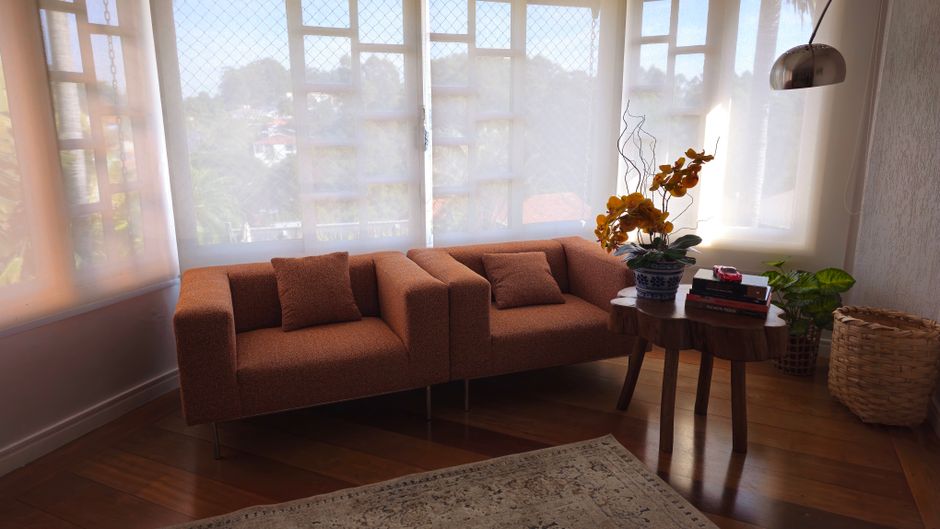
Before the first mapped run, collect toys, clothing and other small objects from the floor. Secure charging cables and check beneath tables and around the sofa. These are easy places to overlook when tidying at standing height, but they are part of the robot’s working space.
Look closely at lightweight mats, rug fringes and thick pile. Suction strength alone does not tell you whether a machine will travel comfortably over a particular rug. Observe what happens and follow the product guidance. If a rug repeatedly interrupts cleaning, setting a boundary and vacuuming it separately may be the most practical arrangement.
Stay available during the initial run so you can spot problems with the layout. Open access to the rooms you intend to clean and note where the robot needs help. Use this first pass to make small adjustments before relying on an unattended schedule.
Use boundaries to solve specific problems

Review the map and the available room controls after setup. No-go zones and virtual walls can help around an area with trailing equipment leads, a troublesome rug or delicate objects at floor level. They let you adapt the cleaning route without moving everything before every run.
Be selective. Excluding a large area to avoid one awkward object may leave a useful stretch of floor untouched. Sometimes shifting a basket or chair slightly is a better solution. Aim for a route that covers the spaces you care about and requires only a brief floor tidy to remain usable.
Revisit the setup after rearranging furniture. A refreshed living room or a newly positioned cabinet can change access beneath and between pieces. Follow the app’s instructions if the map needs updating, then watch the next clean to check that the revised layout works.
Schedule around the people using the space
Choose cleaning times that suit the household. A kitchen run may make sense after food preparation and a quick tidy, while living room cleaning may fit better when the room is empty. Start with a simple routine, then adjust it according to where debris builds up.
Listen to a complete cleaning cycle before settling on a time. The base’s automatic emptying is part of that cycle, so consider it alongside work calls, television and rest. App scheduling may provide all the control you need. If you want voice commands, check the supported assistant and commands before adding them to a wider smart home routine.
Keep maintenance within easy reach
Automatic emptying reduces one recurring job, but brushes, filters, wheels and sensors still need care. Follow the manual for cleaning methods and replacement guidance. A brush tangled with hair or a sensor covered in debris is a reason to inspect the machine before repeatedly changing its cleaning settings.
Pet owners should consider how easily the brush can be accessed and cleared. A pet-focused label is less useful than understanding the maintenance involved. For mopping, check the instructions for the attachment and your floor finish, including where the function should be avoided. Keep routine care supplies somewhere accessible so upkeep does not become a separate project.
Judge success by an ordinary week
A useful setup is one that covers your chosen areas with preparation you find manageable. Notice how often you rescue the robot, move obstacles or clean excluded spots. Those observations will show whether a boundary, a furniture adjustment or a different schedule would improve the routine.
Choose features around those everyday needs. A straightforward layout may need fewer controls, while several connected rooms may make mapping more valuable. With the Tapo RV30 Max Plus or another suitable machine, a clear route, an accessible base and regular upkeep give automation a practical place in the home.